

Quick Answer: The commute disappeared. The dress code relaxed. But something else happened too: sleep got worse. If you've been working from home and sleeping poorly, you're not alone, and it's not just in your head.
Remote Worker Sleep Problems: The Work-From-Home Crisis Nobody Talks About
The commute disappeared. The dress code relaxed. But something else happened too: sleep got worse. If you've been working from home and sleeping poorly, you're not alone, and it's not just in your head.
The Numbers Are Startling
Research from the Better Sleep Council found that 42% of remote workers report waking repeatedly during the night, compared to just 29% of office commuters. Almost 40% of remote workers get only six hours of sleep, below the recommended seven to eight.
A 2026 Korean study published in BMC Public Health found that working from home was associated with three times higher odds of sleep onset problems, sleep maintenance issues, and non-restorative sleep. The association was statistically significant across all measures.
Why Remote Work Disrupts Sleep
No Physical Separation
Your brain associates locations with activities. The office meant work. Home meant rest. When you work where you sleep, those associations blur. Your bedroom no longer feels like a sleep space because it's also been a meeting room.
Circadian Rhythm Confusion
Commuting provided natural light exposure in the morning and a clear end to the workday. Without that structure, your body loses timing cues. You might not see real sunlight until noon. You might work until 9 PM without noticing.
Screen Time Explosion
Office work had breaks: walking to meetings, lunch away from the desk, conversations in hallways. Remote work often means screen-to-screen-to-screen. Blue light suppresses melatonin. Eight hours of Zoom calls means eight hours of blue light exposure.
Movement Disappeared
The commute, the walk to the parking lot, the stairs to the office, wandering for coffee. These small movements add up. Remote workers often go from bed to desk to couch to bed. A body that barely moved doesn't feel physically tired at night.
Hybrid Workers Have It Worst
Surprisingly, fully remote workers aren't the worst affected. Fortune's 2026 survey found that 88% of hybrid workers report job stressors impacting their sleep, compared to 73% of in-person and 71% of fully remote workers.
The constant switching between environments, never fully adjusting to either routine, creates its own stress that follows workers to bed.
The Bedroom Office Problem
If your desk is in your bedroom, every sleep specialist would tell you to move it. Seeing your workspace from bed triggers work thoughts. Seeing your bed from your desk is distracting during work. Neither space works well when they share territory.
If you can't move the desk:
- Use a screen or curtain to block the workspace from bed view
- Close the laptop completely at end of day, don't just sleep it
- Have a physical ritual that signals work end: changing clothes, taking a walk
- Never work from bed, even for "just one email"
The Physical Toll
Kitchen tables weren't designed for 8-hour workdays. Couches weren't meant for conference calls. The physical discomfort of makeshift home offices follows you to bed:
- Back pain from bad chairs
- Neck strain from looking down at laptops
- Hip tightness from hours of sitting
A body in pain doesn't sleep well. You shift trying to get comfortable. You wake stiff. The work setup affects the sleep setup.
What Actually Helps
Morning Light Exposure
Get outside within 30 minutes of waking. Even 10 minutes of natural light helps reset your circadian rhythm. This is especially important in Canadian winters when you might otherwise not see daylight until noon.
Movement Breaks
Schedule walks like meetings. Block time that takes you away from screens and gets your body moving. A tired body sleeps better than a stationary one.
Hard Stop on Work
Pick a time when work ends. Close the laptop. Leave the room if possible. The lack of commute means you need to create your own transition ritual.
Blue Light Management
Night shift modes on screens help. Better: stop screens entirely 1-2 hours before bed. If you must look at screens, make the last 30 minutes something passive like reading, not active like work.
Your Mattress in the Remote Work Equation
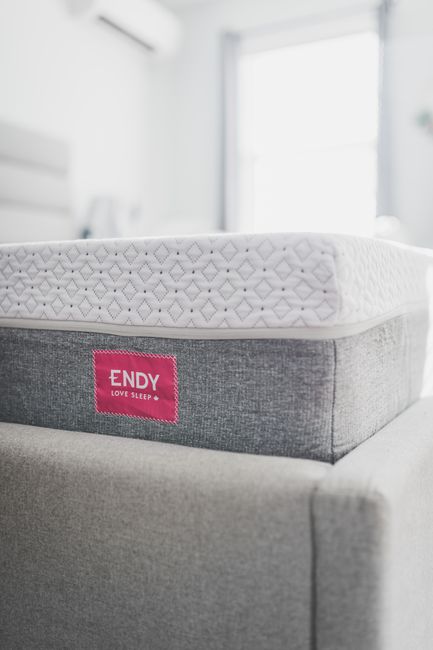
If you're carrying desk-job tension into bed, your mattress needs to relieve it, not add to it. Pressure point relief matters more when your body is already stressed from sitting.
A quality mattress removes physical barriers to sleep. Combined with an adjustable base, you can find positions that help your back decompress after a day hunched over a laptop.
The Brantford Remote Worker Reality
Brantford has become a remote work hub. People who once commuted to Toronto or Hamilton now work from home here, trading condo costs for house costs. The sleep problems came with them.
We see these customers regularly. They've upgraded the office chair, the standing desk, the monitor. Sleep comes last, even though it affects everything else.
Come Talk to Us
We're at 441½ West Street in Brantford. If remote work has disrupted your sleep, come in. We understand the specific challenges because we've been hearing about them since 2020.
Mattress Miracle: helping Brantford's remote workers sleep since 1997.
Adjustable beds for remote workers double as ergonomic workstations, with powered head elevation supporting laptop use in bed while proper lumbar positioning prevents the back pain that desk-to-bed transitions cause. Mattress Miracle at 441½ West Street in Brantford carries adjustable bases that support both sleep and daytime use. Dorothy notes that since the pandemic, more customers use adjustable bases for working in bed, and the powered positioning prevents the slouching that leads to chronic back problems. Call (519) 770-0001.
Medical Disclaimer: The information in this article is for educational purposes only and does not constitute medical advice. If you are experiencing chronic pain, sleep disorders, or other health conditions, please consult a qualified healthcare professional.
Frequently Asked Questions
How long does a mattress typically last?
Most quality mattresses last 7-10 years with proper care. Signs to replace include visible sagging over 1 inch, waking with pain, or sleeping better in hotels. Rotating your mattress regularly and using a protector extends its lifespan.
What firmness level is best for most people?
Medium-firm (around 6 on a 10-point scale) suits most sleepers and provides good spinal support. However, individual preference matters - side sleepers often prefer softer, while stomach sleepers need firmer. Try before you buy when possible.
Do I need a boxspring with a new mattress?
Most modern mattresses work fine without a traditional boxspring. Platform beds, slatted foundations (slats 3 inches apart or less), and adjustable bases all work well. Check your mattress warranty requirements.
How to Make the Best Mattress Decision
Follow these steps to choose the right mattress with confidence.

Step 1: Research your options thoroughly
Spend time understanding what is available in the mattress market. Read articles, compare features, and learn what separates quality from marketing. Informed shoppers consistently make better purchasing decisions.
Step 2: Define your priorities and budget
List what matters most to you in a mattress: comfort, durability, style, size, or specific features. Set a budget range that reflects the importance of this purchase to your daily life. Quality sleep affects everything.
Step 3: Seek expert advice
Talk to someone with real experience in mattresss. At Mattress Miracle, Brad has been helping families find the right sleep solutions since 1997. Expert guidance saves you from expensive mistakes and buyer's remorse.
Step 4: Test and compare before committing
Always try a mattress before buying when possible. Visit our Brantford showroom at 441 1/2 West Street to test options side by side. Your body knows what feels right. Trust that more than any online review.
Step 5: Buy with confidence from a trusted retailer
Choose a retailer that stands behind their products with real warranty support and after-sale service. Mattress Miracle has been Brantford's trusted sleep store since 1997. Call 519-770-0001 or visit 441 1/2 West Street.
Sources
- Radwan A, Fess P, James D, et al. Effect of different mattress designs on promoting sleep quality, pain reduction, and spinal alignment in adults with or without back pain. Sleep Health. 2015;1(4):257-267. DOI: 10.1016/j.sleh.2015.08.001
- Chen Z, Li Y, Liu R. Ergonomic design and evaluation of bedroom furniture systems for improved sleep quality. Appl Ergon. 2020;82:102969. DOI: 10.1016/j.apergo.2019.102969
- Okamoto-Mizuno K, Mizuno K. Effects of thermal environment on sleep and circadian rhythm. J Physiol Anthropol. 2012;31(1):14. DOI: 10.1186/1880-6805-31-14
- Cary D, Briffa K, McKenna L. Identifying relationships between sleep posture and non-specific spinal symptoms in adults: A scoping review. BMJ Open. 2019;9(6):e027633. DOI: 10.1136/bmjopen-2018-027633
Visit Our Brantford Showroom
We are located at 441½ West Street in downtown Brantford. Free parking available, wheelchair accessible. Our team does not work on commission, so you get honest advice based on your needs.
Mattress Miracle, 441½ West Street, Brantford, ON · (519) 770-0001
Hours: Monday–Wednesday 10am–6pm, Thursday–Friday 10am–7pm, Saturday 10am–5pm, Sunday 12pm–4pm.
Get Directions to Mattress Miracle
Compare the Orthex Sophia Adjustable Bed Lineup
The Canadian-made Orthex Sophia line includes three models, each built for a different use case:
- Sophia 2, the standard adjustable bed: head, foot, lumbar, and massage. Best for first-time buyers.
- Sophia 3, adds hi-low height adjustment up to 30 inches. Class I medical device, ideal for aging-in-place.
- Sophia 4, adds full Trendelenburg tilt for post-surgical recovery and homecare use.
Full side-by-side breakdown with specs and Canadian pricing: Orthex Sophia 2 vs 3 vs 4: Adjustable Bed Comparison.